




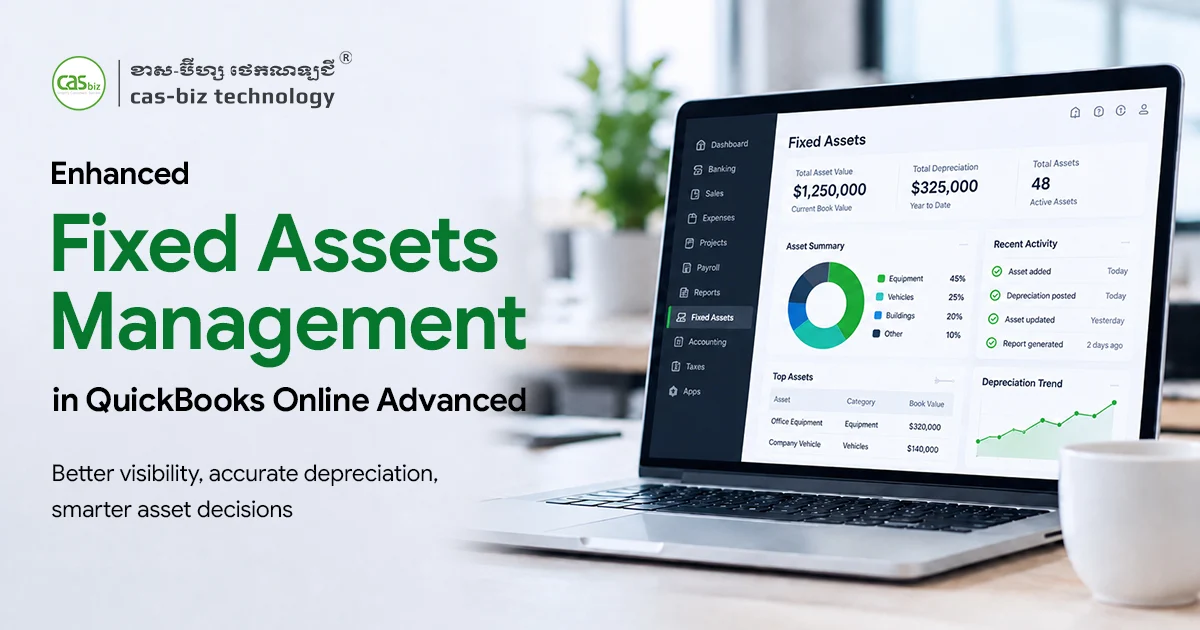
Managing company vehicles, computers, machinery, furniture, and other long-term assets can quickly become complicated when finance teams depend on spreadsheets and separate depreciation calculations.
QuickBooks has continued improving its existing Fixed Assets functionality to make asset management more connected with day-to-day accounting. Rather than introducing an entirely separate new feature, the latest QuickBooks Fixed Assets update refines how businesses add assets, review asset-related transactions, manage accumulated depreciation, monitor depreciation schedules, dispose of assets, and access fixed asset reports.
Intuit’s current Fixed Assets guidance, updated on 5 August 2026, covers these capabilities for QuickBooks Online Advanced and Intuit Enterprise Suite.
For Cambodian SMEs, NGOs, and growing enterprises managing many pieces of equipment or other capital assets, these improvements can help reduce spreadsheet dependency and provide finance teams with better visibility over the complete asset lifecycle.
In this article, we will look at what has improved, how the updated workflow works, and why these enhancements matter for businesses using QuickBooks Cambodia.
Watch: How to Manage Fixed Assets in QuickBooks Online Advanced
Before exploring the enhancements in detail, watch the official QuickBooks walkthrough to see how fixed assets can be managed directly within QuickBooks Online Advanced.
The walkthrough demonstrates how to:
- Set up a new fixed asset
- Schedule depreciation for an asset
- Add multiple fixed assets
- Record the purchase of an asset in QuickBooks
This gives you a useful overview of the core Fixed Assets workflow. In the sections below, we will look more closely at the latest enhancements and explain what they mean for Cambodian businesses.
Enhanced Fixed Asset Management in QuickBooks Online Advanced: What Has Improved?
The Fixed Assets functionality already helped QuickBooks users organize and depreciate business assets. The latest improvements make that existing workflow more practical by connecting asset setup, transaction review, depreciation, disposal, and reporting more closely.
Here are the most important enhancements businesses should know about.
1. Easier Setup for Single and Multiple Fixed Assets
Businesses can continue adding individual fixed assets directly from the Fixed Assets area, including important information such as asset name, purchase price, useful life, depreciation method, depreciation start date, accumulated depreciation, and the corresponding accounting accounts.
For organizations managing many assets, QuickBooks also supports adding multiple assets together. Users can enter the information directly into the asset table or copy information from an existing spreadsheet.
Why this matters for Cambodian businesses?
A growing company may purchase dozens of laptops, office furniture items, production machines, or other equipment during an expansion. Instead of creating every asset through a completely separate manual workflow, the finance team can organize the information in Excel and transfer it into the Fixed Assets area more efficiently.
This can help businesses:
- Reduce repetitive asset setup work
- Maintain more consistent asset records
- Reduce reliance on separate fixed asset spreadsheets
- Make asset information easier for accountants and finance managers to review
Practical example:
A Cambodian distribution company purchasing several computers, warehouse equipment, and delivery assets can prepare the asset information in a structured spreadsheet and then add multiple records into QuickBooks instead of processing each asset independently.
2. Smarter Fixed Asset Drafts from Expense Transactions
One of the most useful workflow improvements is the ability to review fixed asset drafts.
When QuickBooks recognizes an expense transaction as belonging to an asset category, the application can automatically create a fixed asset draft. The draft appears for review before the asset is finalized, allowing the business owner, finance employee, or accountant to check information such as the depreciation method and related account details.
This is particularly valuable because purchasing an asset and recording it in the accounting system are often handled at different stages.
Instead of relying entirely on someone remembering to create a separate asset record later, the draft provides another opportunity to identify the transaction and properly establish the asset.
Business benefits include:
- Better visibility of potential asset purchases
- Less risk of eligible assets being overlooked
- Stronger review controls before depreciation begins
- Easier collaboration between operational staff and accountants
The important point is that these are drafts for review. Finance teams should still verify the accounting treatment before approving them.
3. Improved Handling of Assets with Previous Depreciation
Not every business begins tracking an asset in QuickBooks on the day it was purchased.
Companies migrating from Excel or another accounting system may already have several months or years of accumulated depreciation recorded for existing equipment.
The current QuickBooks Fixed Assets workflow allows users to enter accumulated depreciation for an existing asset. Users can enter the amount manually or use QuickBooks’ auto-generated depreciation calculation based on the asset information and depreciation start date. Intuit specifically recommends checking the calculated amount against existing accounting records and making adjustments where necessary.
This can make the feature particularly useful during:
- Accounting system implementation
- Historical data migration
- Cleanup of existing asset registers
- Transition from spreadsheet-based fixed asset management
- Reorganization of financial records
For businesses moving to QuickBooks Online Cambodia, CAS-BIZ Technology can also assist with implementation, data migration, account setup, and workflow review.
4. More Connected Depreciation Scheduling and Tracking
Another important enhancement is the connection between the asset record and its depreciation schedule.
Once an eligible fixed asset is established, QuickBooks automatically creates its depreciation schedule. According to Intuit’s current documentation, depreciation entries generated through the Fixed Assets feature are posted on the first day of each month for the preceding depreciation period.
Users can then open an individual asset, review its schedule by year, expand individual depreciation periods, and view associated posted transactions.
QuickBooks currently documents three depreciation calculation methods within this Fixed Assets functionality:
Straight-line depreciation
Spreads depreciation more evenly across an asset’s useful life.
Double-declining balance
Recognizes more depreciation during the earlier years of an asset’s useful life.
150% accelerated depreciation
Uses an accelerated approach while depreciating less aggressively than the double-declining method.
For finance teams, having the asset information, depreciation calculation, schedule, and posted transactions accessible from a connected workflow can reduce the need to maintain several separate files.
5. Clearer Asset Disposal and Deletion Workflows
Fixed asset management does not end with depreciation. Businesses eventually sell, scrap, replace, or remove assets.
The updated workflow provides separate Dispose and Delete actions, and understanding the difference is important.
Dispose an asset
When an asset is sold or is no longer being used to generate income, users can enter information such as:
- Disposal date
- Selling price
- Selling fee
QuickBooks can then display a summary including the calculated profit or loss on disposal.
However, Intuit’s instructions state that users must still manually post the required journal entries to clear the asset and accumulated depreciation, record proceeds, and recognize any gain or loss. Once an asset is disposed of, it cannot be edited or restored.
Delete an asset
Deleting is intended for an asset that was added incorrectly. Deleting permanently removes the asset and its related transactions from the Fixed Assets list, and the deleted asset cannot be recovered.
This clearer distinction helps finance teams maintain cleaner records and reduces the risk of treating a legitimate disposal as an accidental deletion
6. Better Fixed Asset Reporting
QuickBooks also provides reports that give finance teams a clearer overview of their asset information.
The current Fixed Assets functionality includes:
- Fixed Asset List
- Fixed Asset Depreciation Detail
These reports can be customized or filtered according to the information a finance team needs. Intuit notes that they can support activities such as reviewing assets, planning future capital expenditure, and preparing information for tax-related work.
For growing Cambodian businesses, this provides decision-makers with more than simply an asset register. Management can gain better visibility over what the company owns, how those assets are depreciating, and where future replacement or capital investment may be required.
Why These Fixed Asset Enhancements Matter in Cambodia
Cambodian SMEs, NGOs, retailers, distributors, service companies, manufacturers, and larger organizations may own significant amounts of business equipment while still managing fixed asset information partly through Excel.
As transaction volumes and asset counts grow, that approach becomes harder to control.
The latest QuickBooks Fixed Assets enhancements can support a more structured workflow by helping businesses:
- Centralize asset records with accounting information
- Reduce repetitive spreadsheet work
- Review potential assets before finalizing them
- Maintain clearer depreciation schedules
- Improve visibility during month-end and year-end review
- Manage disposal more consistently
- Provide finance managers with more useful fixed asset reports
These improvements are especially relevant to companies already considering digital transformation or moving from spreadsheet-heavy processes toward integrated business software solutions Cambodia.
QuickBooks Fixed Assets and Cambodian Tax Compliance
Better asset tracking can improve accounting efficiency, but financial accounting and Cambodian tax compliance should still be reviewed as connected but separate requirements.
QuickBooks can help businesses organize accounting records and book depreciation. For Cambodia-specific compliance workflows, businesses should confirm the applicable treatment with their accountant and ensure records follow current General Department of Taxation requirements.
CAS-BIZ also provides FaceAzure, its localized Cambodia tax compliance solution designed to work alongside QuickBooks. CAS-BIZ states that FaceAzure supports local tax-related workflows including Khmer tax invoices and GDT-oriented compliance processes.
Businesses interested in strengthening both cloud accounting and local compliance can read: FaceAzure Online: Tax Compliance for Cambodian Businesses
Is the QuickBooks Fixed Assets Update Right for Your Business?
These improvements may be particularly valuable if your organization:
- Owns many vehicles, machines, computers, furniture, or other long-term assets
- Currently manages depreciation through spreadsheets
- Is migrating historical asset information into QuickBooks
- Needs stronger visibility over accumulated depreciation
- Wants finance staff and accountants to review asset records from one workflow
- Needs clearer asset disposal processes
- Wants better information for capital expenditure planning
The official Intuit documentation currently identifies the Fixed Assets functionality covered in this update for QuickBooks Online Advanced and Intuit Enterprise Suite. Feature availability may vary according to product, subscription, and region, so Cambodian businesses should confirm their QuickBooks configuration before planning a rollout.
CAS-BIZ Technology can assist organizations in determining the appropriate QuickBooks setup and implementing processes that fit their accounting requirements. CAS-BIZ’s implementation methodology includes system setup, data conversion where required, process improvement, training, and post-implementation support.
The latest QuickBooks Fixed Assets update is best viewed as an improvement to an existing capability rather than the introduction of an entirely new feature.
By refining asset creation, fixed asset drafts, accumulated depreciation, depreciation schedules, disposal workflows, and fixed asset reporting, QuickBooks is making it easier for finance teams to manage the complete lifecycle of business assets from within their accounting environment.
For Cambodian SMEs, NGOs, and growing enterprises, these improvements can reduce spreadsheet dependency, strengthen accounting controls, and provide clearer information for financial decision-making.
Are you currently tracking your fixed assets in Excel or unsure whether your QuickBooks setup can take advantage of these enhancements?
Contact CAS-BIZ Technology for a free QuickBooks consultation or personalized demonstration. Our team can review your current accounting workflow, recommend the appropriate QuickBooks solution, and assist with setup, migration, implementation, training, and technical support.